




Blog
Smart TV vs Android TV: What Is the Difference? 2026


Android TV is not a separate type of television. It is one operating system that some Smart TVs run, alongside Samsung’s Tizen, LG’s webOS, and Google TV. So smart tv vs android tv which is best isn’t really a fair fight, you’re comparing a whole category to one option inside it.
Retailers often list a television as an android smart tv because Android is the software running inside an otherwise ordinary Smart TV. That labeling is exactly why most buyers get confused while comparing listings on ShoppingJin or anywhere else. Here’s the short version, then the full breakdown.
- Every Android TV is a Smart TV, but not every Smart TV runs Android.
- Android TV is one operating system, alongside Samsung’s Tizen and LG’s webOS.
- The OS decides your app store, voice assistant, and update support, not your picture quality.
- In Pakistan, 32 to 43 inch Android TVs from TCL and Haier run roughly Rs 42,900 to Rs 95,000 (July 2026), often less than a comparable Tizen model.
What Is a Smart TV?
A Smart TV is any television that connects to the internet and runs apps like YouTube, Netflix, and Tamasha directly on the screen, without a separate streaming box. “Smart TV” is a general label. It says nothing about which software is doing the work behind the interface.
What Is Android TV, and How Is It Different From a Smart TV?
Android TV is Google’s operating system, built specifically for televisions and licensed to manufacturers. According to Google’s own explanation of how Android TV and Google TV work, it gives you the Google Play Store, built-in Chromecast, and Google Assistant out of the box. TCL, Haier, Changhong Ruba, and several budget local brands sell Android LED TVs in Pakistan, while Samsung runs Tizen and LG runs webOS on their own Smart TVs instead.
| What You’re Comparing | Smart TV (general term) | Android TV (Google’s OS) |
| What it is | Any internet-connected TV | One specific OS a Smart TV can run |
| App store | Varies by brand, sometimes closed | Full Google Play Store |
| Voice assistant | Brand-dependent, or none | Google Assistant built in |
| Casting from phone | Sometimes limited | Chromecast built in |
| Software updates | Varies widely by brand | Usually 2 to 4 years |
| Found on | Every major brand | TCL, Haier, Changhong Ruba, some Xiaomi, Sony |
Does the LED vs Smart TV Difference Matter Here?
Yes, but it answers a different question. The difference between smart tv and led tv comes down to hardware versus software. LED describes the backlight technology, it’s what makes the picture bright and power-efficient. Smart, and Android specifically, describes the software layer that runs apps and streaming. A TV can be an LED Smart TV, a plain LED TV with no smart features, or a QLED Android TV. The panel and the operating system are two separate purchase decisions, and mixing them up is usually the real question behind what is the difference between led and smart tv searches.
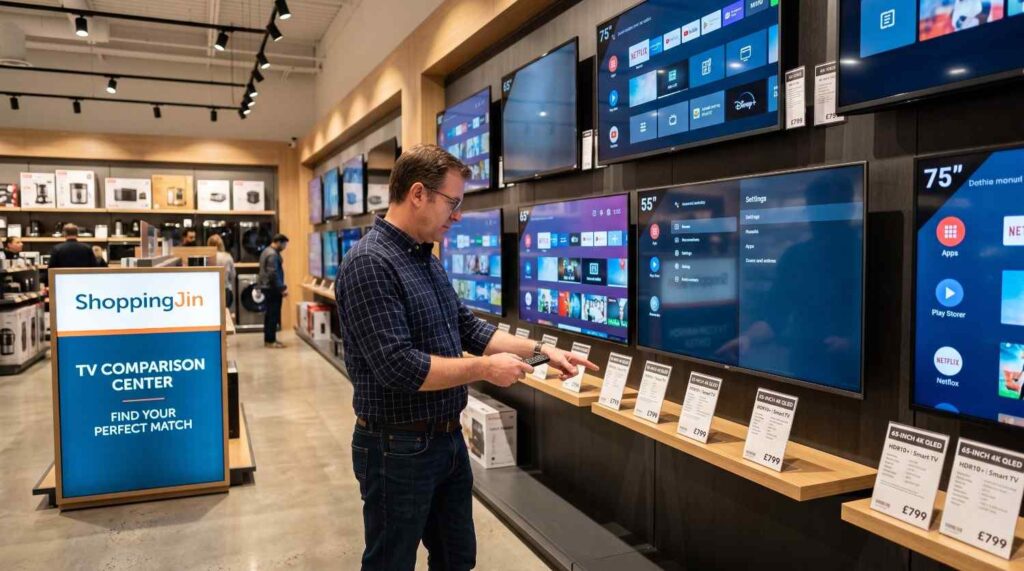
Smart TV Operating Systems Compared
| Operating System | Common Brands | App Store | Voice Assistant | Typical Support Window |
| Android TV / Google TV | TCL, Haier, Xiaomi, Changhong Ruba | Google Play Store | Google Assistant | 2 to 4 years |
| Tizen | Samsung | Samsung’s own app store | Bixby | 3 to 5 years |
| webOS | LG | LG Content Store | ThinQ AI | 3 to 5 years |
| Basic Smart TV OS | Local and budget brands | Small, curated app list | Often none | 1 to 2 years, if any |
Which Should You Buy in Pakistan?
If you rely on Google Play apps, cricket streaming apps, or Chromecast from your phone daily, an Android TV earns its keep. As of July 2026, 32 to 43 inch Android TVs from TCL and Haier run roughly Rs 42,900 to Rs 95,000 depending on resolution, while a Samsung Tizen smart tv in the same screen size typically costs more for a comparable panel. If you mainly watch cable, YouTube, and one or two streaming apps and don’t care which store they come from, a Smart Wi-Fi TV without Android does the job without the extra cost.
For live pricing across sizes and brands, browse ShoppingJin’s LED TV price list, which covers everything from HD to OLED and QLED. Set on a specific brand? Compare current Samsung TV prices or TCL TV prices directly.
Before you buy, check:
- Which apps you actually use, and whether they’re on that TV’s store.
- How much RAM and storage the model has. Android TVs slow down fast below 1.5GB RAM.
- The manufacturer’s stated update support window, not just the warranty period.
- Whether the remote has dedicated buttons for the apps you’ll use daily.
Frequently Asked Questions
Is Android TV better than a regular Smart TV?
It depends on what “regular” means. Android TV gives you a bigger app library and Google Assistant, but a Tizen or webOS Smart TV often has smoother software and longer update support for a similar price.
Can I install Android apps on any Smart TV?
No. Only TVs running Android TV or Google TV support the Google Play Store directly. Tizen and webOS TVs use their own separate app stores with a smaller selection.
Which Pakistani market brands sell Android TVs?
TCL, Haier, Changhong Ruba, and several Xiaomi models sell Android TV sets in Pakistan. Samsung and LG use Tizen and webOS instead, not Android.
Is Google TV the same as Android TV?
Google TV is a newer interface layer built on top of Android TV’s core software. It looks different and adds better content recommendations, but it’s still Android underneath, so app compatibility stays the same.
Do Android TVs need more RAM than basic Smart TVs?
Yes, generally. Android TV runs a fuller operating system, so models with 1GB RAM or less often lag when switching between apps. Look for at least 1.5GB to 2GB RAM.
Is Android TV cheaper than a Tizen Smart TV in Pakistan?
Usually, yes, at the same screen size and resolution. Android TV hardware from TCL or Haier tends to undercut a comparable Samsung Tizen model, though Samsung often includes a better panel for the price gap.
Can I turn a non-smart LED TV into an Android TV?
Not into a true Android TV, but you can add a separate Android TV box or stick to get the same apps and Google Assistant on an existing screen.
Whatever OS you land on, the TV you take home should match how you actually watch, not just what the box says. Browse ShoppingJin’s full smart TV range to compare Android, Tizen, and webOS models side by side before you decide.
 Air Conditioner
 Air Cooler
 Fan
 Geyser
 Heater
 LCD TV
 Stabilizer
 UPS Inverter
 Vacuum Cleaner
 Water Dispenser
 Weight scale
 Washing Machine
 Spinner
 Iron
 Garment Steamer
 Fabric Shaver
 Air Purifier
 Coffee Machine
 Dehumidifier
 Electric Heater
 Insect Killer
 Fan Heater
 Torch Light
 Water Heater Tap
 Water Filter and Purifier
 Water Cooler

 QLED TV
 Refrigerator
 Deep Freezer
 Oven
 Sandwich Maker
 Toaster
 Electric Kettle
 Air Fryer
 Egg Boiler

 Cooking Range
 Kitechen Hood
 Hobs
 Gas Stove
 Hot Plate
 Electric Grill
 Grill Oven
 Fryer
 Roti Maker
 Rice Cooker
 Induction Cooker
 Cotton Candy Machine
 Grinder
 Chopper
 Juicer Machine
 Blender
 Meat Mincer
 Egg Beater
 Spiralizer
 Laptop
 Notebook Laptop
 Tablet PC
 Printer
 Headphone
 Sound System
 Android Mobile
 Apple Mobile
 Earbuds
 Gaming Console
 Gaming Laptop
 Gaming Chair
 Graphic Card
 Drone Camera
 DSLR Camera
 Digital Camera
 Massager
 Facial Kit
 Blackhead Remover
 Epilator
 Wax Heater
 Hair Trimmer
 Hair Straightener
 Hair Curler
 Hair Dryer
 IPL Hair Remover
